
Appearance
Get Started
Welcome to the ChatBreeZ documentation. Our API allows you to send and receive WhatsApp messages programmatically, enabling you to build powerful communication tools, notification systems, and customer support bots.
1. Create an Account
To use the API, you first need a ChatBreeZ account.
- Visit chatbreez.com.
- Sign up with your email or Google account.
- Log in to your dashboard.
2. Create a WhatsApp Instance
A WhatsApp instance represents a connection to a specific WhatsApp account.
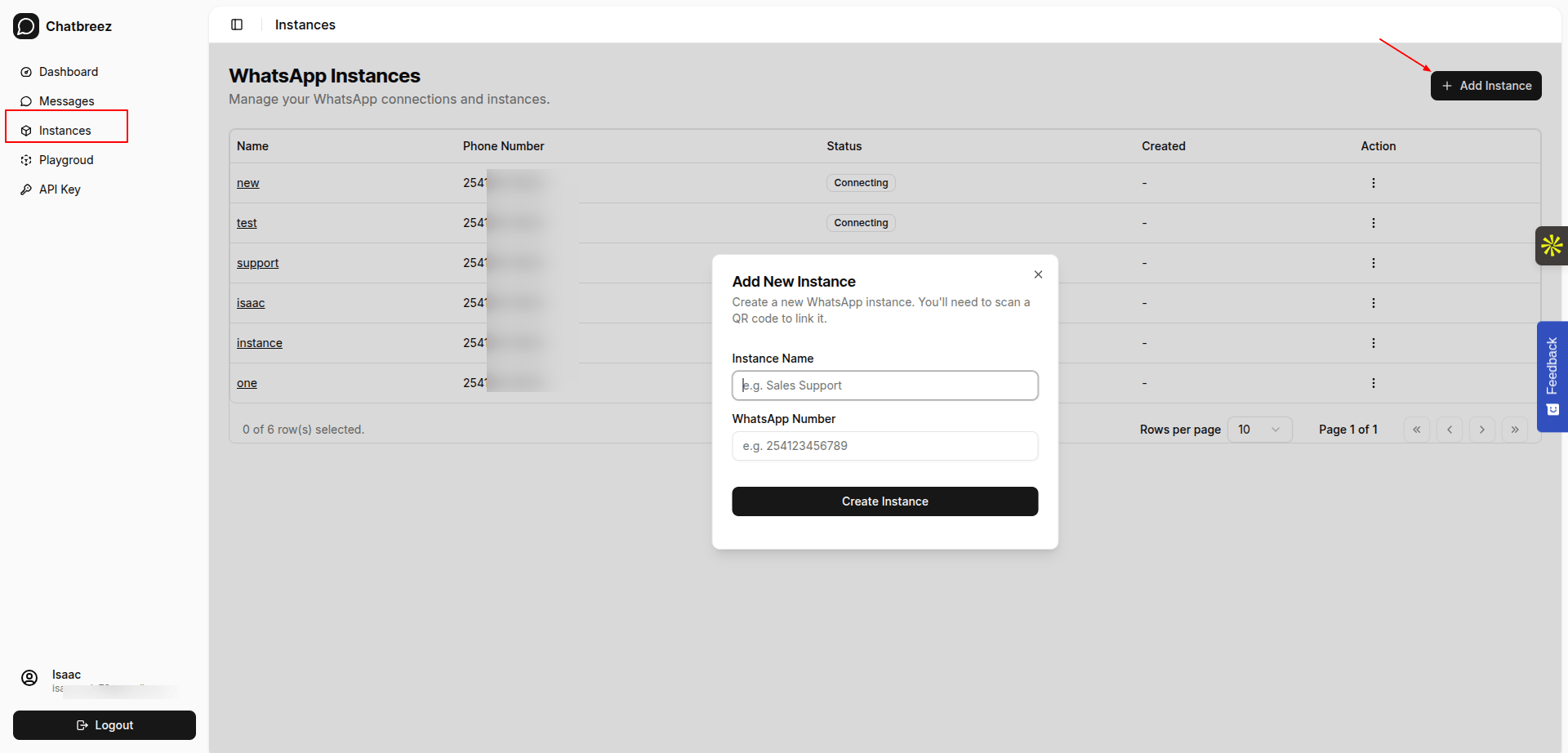
- In the dashboard, navigate to the Instances section.
- Click Add Instance.
- Enter your whatsapp number and a name for your instance (e.g., "Customer Support"). mobile number should be in international format without + sign. e.g., 254700000000
- Once created, click Create Instance to generate a QR code.
- Scan the QR code with your WhatsApp app on your phone (Linked Devices > Link a Device).
3. Get Your API Key
Your API Key is required for authenticating all requests to the chatbreez API.
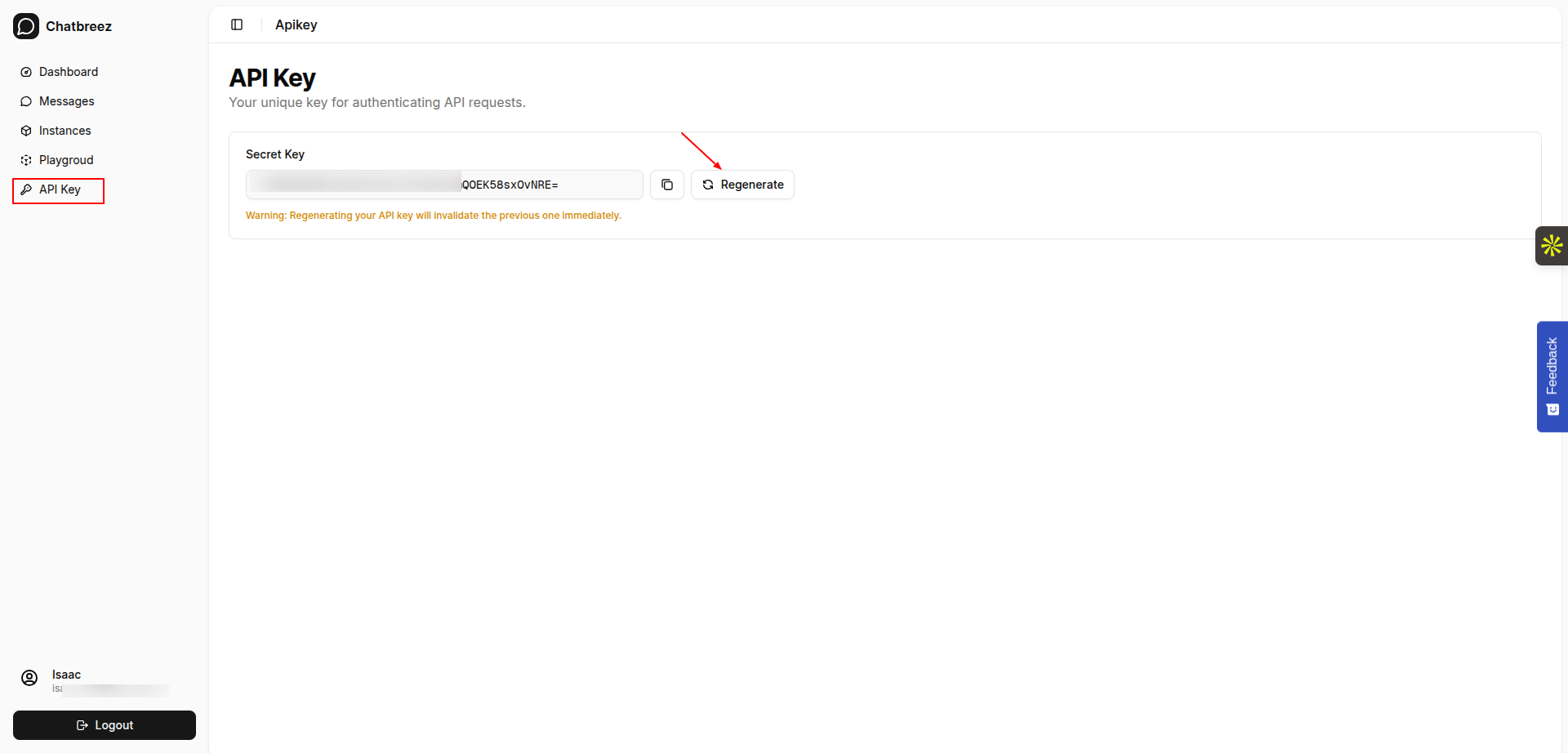
- Go to the API Keys section in the dashboard.
- Generate and copy your API Key.
- Keep this key secure. Do not share it publicly.
Next Steps
Now that you have your API key and a connected instance, you can start sending messages.